Do you ever get to the end of the day and wonder where the hours went? You were busy, but the important stuff still didn’t happen. If that sounds familiar, you don’t need a complicated productivity system—you need a simple plan you can repeat.
Time blocking is one of the easiest ways to take control of your day because it turns vague intentions into a clear schedule. Instead of hoping you’ll “get to it,” you decide when it happens—then you protect that time like an appointment.
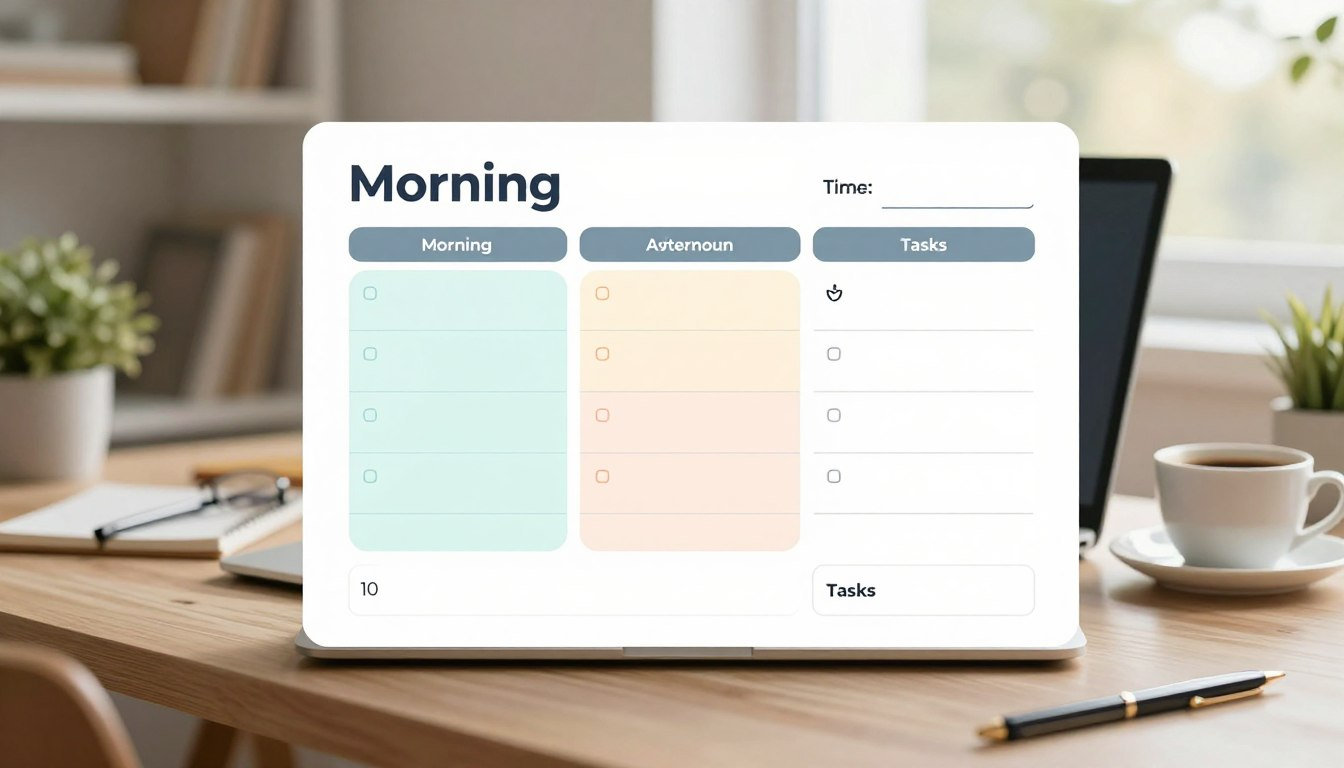
This guide is designed for beginners. You’ll learn a practical time blocking routine you can set up in 10 minutes each morning, plus a simple template you can copy, print, or recreate in Google Calendar, Notion, or a paper planner.
- Plan fast: a 10-minute setup you can do before your day gets noisy.
- Stay flexible: a schedule that adapts when life interrupts.
- Get more done: fewer distractions, less task switching, and clearer priorities.
What Is Time Blocking (And Why It Works When To-Do Lists Don’t)
Time blocking is a planning method where you divide your day into chunks (blocks) and assign each block a specific focus: a task, a project, or a category of work (like “admin,” “meetings,” or “deep work”).
A to-do list tells you what you want to do. Time blocking tells you when it will happen. That difference matters because most days don’t fail from a lack of intention—they fail from a lack of time realism. When the calendar is full, the list becomes wishful thinking.
Time Blocking vs. Timeboxing (Quick Clarity)
Beginners often mix these up:
- Time blocking = reserving time on your schedule for a task or focus area.
- Timeboxing = setting a strict time limit for a task (e.g., “write for 45 minutes and stop”).
You can use both together. For example: block 9:00–11:00 for “Project Work,” then timebox the hardest sub-task for the first 45 minutes.
The Beginner Advantage: Why Time Blocking Feels Easier Than “Being Disciplined”
Time blocking is not about turning you into a productivity robot. It’s about reducing the number of decisions you have to make while you’re tired, distracted, or rushed.
1) You stop negotiating with yourself all day
Without a schedule, your brain constantly asks: “What should I do next?” That decision-making drains energy. With time blocks, you already decided. You just follow the plan.
2) You create better focus (without relying on motivation)
Motivation is unreliable. A protected block makes starting easier because it removes ambiguity. You know what you’re doing, and for how long.
3) You set boundaries that protect your personal life
Time blocking isn’t only for work. When you block exercise, family time, cooking, or rest, you’re sending a message: “This matters too.” That’s how you avoid work bleeding into everything.
Time Blocking Template for Beginners: A Simple Daily Framework
If you’re new, keep it simple. The easiest version is three core blocks plus a little buffer. You can expand later.
| Block Type | What It’s For | Examples |
|---|---|---|
| Focus Block | Your most important work | Writing, studying, building, problem-solving |
| Admin + Communication | Small tasks that keep life running | Email, messages, errands, scheduling, paperwork |
| Life Block | Personal priorities | Workout, family, cooking, downtime, hobbies |
| Buffer | Reality space | Overruns, travel time, interruptions |
That’s it. Most people quit time blocking because they overcomplicate it on day one. Start small, repeat daily, then refine.
How to Plan Your Day in 10 Minutes (Step-by-Step)
This is the exact routine to plan quickly without overthinking. Set a timer for 10 minutes the first few times—it helps you stay practical.
Minute 1–2: Brain dump everything (fast, messy, complete)
Write every task, commitment, and worry you’re carrying. Don’t organize yet. Just empty your head: work tasks, personal chores, calls you need to make, errands, even “figure out dinner.”
Minute 3–4: Circle your “Top 1–3” (what would make today a win?)
Pick one main priority (your “must-do”) and up to two supporting priorities. If you choose ten priorities, you chose none. Keep it realistic.
- Top 1: The task that moves your life or work forward the most.
- Top 2–3: Important tasks that prevent stress later.
Minute 5–6: Anchor fixed commitments first
Add the non-negotiables to your day: meetings, school runs, appointments, class times, deadlines, travel time. This prevents you from planning a fantasy schedule.
Minute 7–8: Assign your Top 1–3 to real blocks
Now place your priorities into open time. If a task needs focus, schedule it when your energy is best. If you don’t know your energy rhythm yet, start with this default:
- Morning: focus and deep work
- Midday/afternoon: meetings, admin, communication
- Late afternoon: lighter tasks, wrap-up, prep for tomorrow
Minute 9: Add buffer time (this is what makes it sustainable)
Buffer blocks keep you from “falling behind” the moment something runs long. Add at least 30–60 minutes of buffer total in a normal day (more if you have unpredictable work or kids at home).
Minute 10: Do a 20-second reality check
Ask:
- Is this schedule possible with the time I actually have?
- Did I give my Top 1 enough uninterrupted time?
- Where will interruptions land (buffer, admin block, or end-of-day)?
Done. Your day is planned.
Copy/Paste: A Beginner Time Blocking Template
You can copy this into a note app, a paper planner, or a printable document. Keep it simple for the first two weeks.
DATE: ____________ TOP 1 (must-do): _______________________________ TOP 2: ________________________________________ TOP 3: ________________________________________ FIXED COMMITMENTS: - _____________________________________________ - _____________________________________________ - _____________________________________________ TIME BLOCKS: [ ] Focus Block #1 (60–120 min): ________________ [ ] Admin/Comms (30–60 min): ___________________ [ ] Focus Block #2 (45–90 min): _________________ [ ] Life Block (60+ min): _______________________ [ ] Buffer (30–60 min total): ___________________ END OF DAY (5 minutes): - What moved forward? __________________________ - What didn’t fit? ______________________________ - One adjustment for tomorrow: __________________
Example Schedules You Can Steal (And Adjust)
If you’re not sure how a day should look, start with a sample and tweak it. The goal is not perfection—it’s consistency.
Example 1: 9-to-5 office day
| Time | Block |
|---|---|
| 8:30–9:00 | Plan + email triage |
| 9:00–10:30 | Focus Block (Top 1) |
| 10:30–11:00 | Buffer + quick admin |
| 11:00–12:00 | Meetings/collaboration |
| 12:00–1:00 | Lunch + walk |
| 1:00–2:30 | Focus Block (Top 2) |
| 2:30–4:00 | Meetings + communication |
| 4:00–4:45 | Admin + follow-ups |
| 4:45–5:00 | Wrap-up + plan tomorrow |
Example 2: Remote work with flexible hours
The key with remote work is protecting focus time before the day fills with messages.
- Early Focus Block (90–120 min): create/build/write before checking chats
- Core Collaboration Window (2–3 hours): meetings, calls, team updates
- Admin Block (30–60 min): email, invoicing, scheduling, documentation
- Second Focus Block (45–90 min): finish the day with a clear deliverable
Example 3: Student schedule (classes + study)
Students win with time blocking because it turns “study later” into an actual plan.
- Class Blocks: fixed times
- Study Block #1 (60–90 min): hardest subject first
- Admin Block (30 min): emails, deadlines, submissions
- Study Block #2 (60–90 min): review + assignments
- Life Block: gym, friends, downtime (schedule it on purpose)
Essential Time Blocking Techniques (The Ones That Actually Help)
Once you’ve practiced the basics for a week, these techniques make your schedule feel smoother and more realistic.
Task batching: group similar work to reduce mental switching
Switching between unrelated tasks is draining. Instead, batch similar tasks into a single block:
- Communication batch: reply to emails/messages in one block (not all day)
- Errand batch: group errands into one trip
- Admin batch: paperwork, scheduling, forms, calls
Energy-based scheduling: match tasks to your brain power
Put the work that requires the most thinking in your best energy window. Save low-energy tasks for later.
| Energy Level | Best For | Examples |
|---|---|---|
| High | Deep work | Writing, coding, studying, planning, strategy |
| Medium | Execution + admin | Email, meetings, errands, routine tasks |
| Low | Wrap-up + maintenance | Prep tomorrow, light cleaning, organizing |
Theme days: reduce weekly chaos (optional, powerful)
If you juggle many roles, theme days keep your week simpler. Example:
- Monday: planning + meetings
- Tuesday–Thursday: project work + deep focus
- Friday: admin, cleanup, reviews
Theme days don’t lock you in—they simply create a default rhythm so you’re not reinventing your week every morning.
Overcoming Common Time Blocking Problems (Without Quitting)
Time blocking fails when people expect it to make life predictable. It won’t. What it does is give you a smart way to adapt.
Problem: “My day gets interrupted, so the schedule is useless.”
Solution: use buffer blocks and a simple rule: if something urgent appears, it can only take time from buffer or admin. Protect the Focus Block unless the world is truly on fire.
Problem: “I plan too much and feel behind by noon.”
Solution: cut your daily plan in half. Most beginners underestimate time. For one week, take your usual estimate and multiply by 1.5. The goal is calm execution, not a packed calendar.
Problem: “I ignore the blocks when I’m not motivated.”
Solution: make the first five minutes stupid-easy. Every focus block should start with a tiny “on-ramp” step:
- Open the document
- Write one rough paragraph
- Outline the next three actions
Once you start, momentum usually follows.
Tools and Formats: Digital vs Paper (Pick What You’ll Actually Use)

You don’t need fancy apps. You need a system you’ll stick with when you’re busy.
Option A: Google Calendar (simple and effective)
Create blocks directly on your calendar using color categories (Focus, Meetings, Admin, Personal). Add reminders if you tend to drift. If you share calendars with a team or family, this option helps you protect time visibly.
Option B: Notion or Trello (great if you like visual planning)
Use these if you already manage tasks there. Keep the task list and your daily blocks connected: pick today’s top items, then assign them to blocks.
Option C: Paper (the fastest for many beginners)
Paper wins when you want speed and focus. A single daily page with blocks (plus your Top 1–3) is often enough. If you like printing, laminate a weekly grid and use a dry-erase marker.
Printable Weekly Grid (Simple, Beginner-Friendly)

If you want a printable-style structure without overdesign, use a weekly grid: the same core blocks each day, with small adjustments. Here’s a clean version you can recreate anywhere.
| Day | Focus Block (Top 1) | Admin/Comms | Second Focus / Study | Life Block | Buffer |
|---|---|---|---|---|---|
| Mon | ________ | ________ | ________ | ________ | ________ |
| Tue | ________ | ________ | ________ | ________ | ________ |
| Wed | ________ | ________ | ________ | ________ | ________ |
| Thu | ________ | ________ | ________ | ________ | ________ |
| Fri | ________ | ________ | ________ | ________ | ________ |
| Sat | ________ | ________ | ________ | ________ | ________ |
| Sun | ________ | ________ | ________ | ________ | ________ |
How to Make Time Blocking a Habit (Without Burning Out)
The secret is to keep the system light. Time blocking should reduce stress, not create a second job.
Start with three blocks per day for one week
For the first 7 days, only plan:
- One Focus Block
- One Admin/Comms Block
- One Life Block
Everything else can happen around them. If you can consistently protect these three blocks, you’re already winning.
Do a weekly review (15 minutes, once a week)
Once a week, look back and ask:
- Where did things consistently run long?
- What should be smaller, batched, delegated, or deleted?
Small adjustments compound quickly. After a month, your schedule starts to feel tailored to your real life.
Conclusion: A Calm Day Starts With a Simple Block Plan
You don’t need perfect discipline to be productive—you need a clear plan that makes the next step obvious. Time blocking gives you that plan.
Try the 10-minute routine tomorrow morning. Start with three blocks, add buffer time, and protect your Top 1 like it’s an appointment. If you do that consistently, you’ll feel the difference fast: fewer scattered hours, more meaningful progress, and a day that ends with less regret.
FAQ
Can I time block if my day is unpredictable?
Yes. Use category blocks (“Admin,” “Calls,” “Focus”) instead of scheduling every task precisely, and add more buffer time than you think you need. The blocks create structure without pretending life is perfectly controllable.
What’s the easiest time blocking setup for beginners?
Start with three blocks: one Focus Block, one Admin/Comms Block, and one Life Block. Keep it simple for a full week before you add more detail.
How long should a focus block be?
Most beginners do well with 60–90 minutes. If that feels hard, start with 30–45 minutes and build up. Longer blocks work best when you can reduce interruptions.
What if I don’t finish a task inside the block?
Don’t panic. Move it to your next available Focus Block or convert the next Admin block into “Finish/Wrap-up.” Over time, you’ll estimate better. The point is progress, not perfection.
Should I use a paper planner or a digital calendar?
Use what you’ll actually check. Digital calendars are great for reminders and changes. Paper is often faster and keeps you focused. Many people use a hybrid: paper for daily planning, calendar for appointments.
Author Box
Written by: Ali Wheatear
About the author: We write practical, step-by-step home and productivity guides designed for busy people—clear enough to start today, detailed enough to actually work.
This article focuses on general productivity strategies. Adapt the template to your health, workload, and family responsibilities, and keep your schedule realistic.
Last updated: March 2, 2026